You've seen fifty restaurant videos this week. You bookmarked a few. You sent some to group chats. You replied "we should go" to three separate posts from three separate people. Come Friday, you cannot find a single one.
This is the current state of restaurant discovery in 2026. The content exists — TikTok and Instagram Reels have produced more genuine, person-to-person restaurant recommendations than any professional publication ever has. The bottleneck is not finding places. The bottleneck is keeping them in a way that's actually useful when you want to eat somewhere.
I've spent the last several months genuinely using seven different apps for this purpose. Not testing them in a weekend sprint, but actually living with each one, trying to capture recommendations across cities I was visiting and neighborhoods I knew well. Here's what each one actually does, where each one breaks, and who should be using which.
1. GeoTok — Best for Turning Video Content Into Saved Places
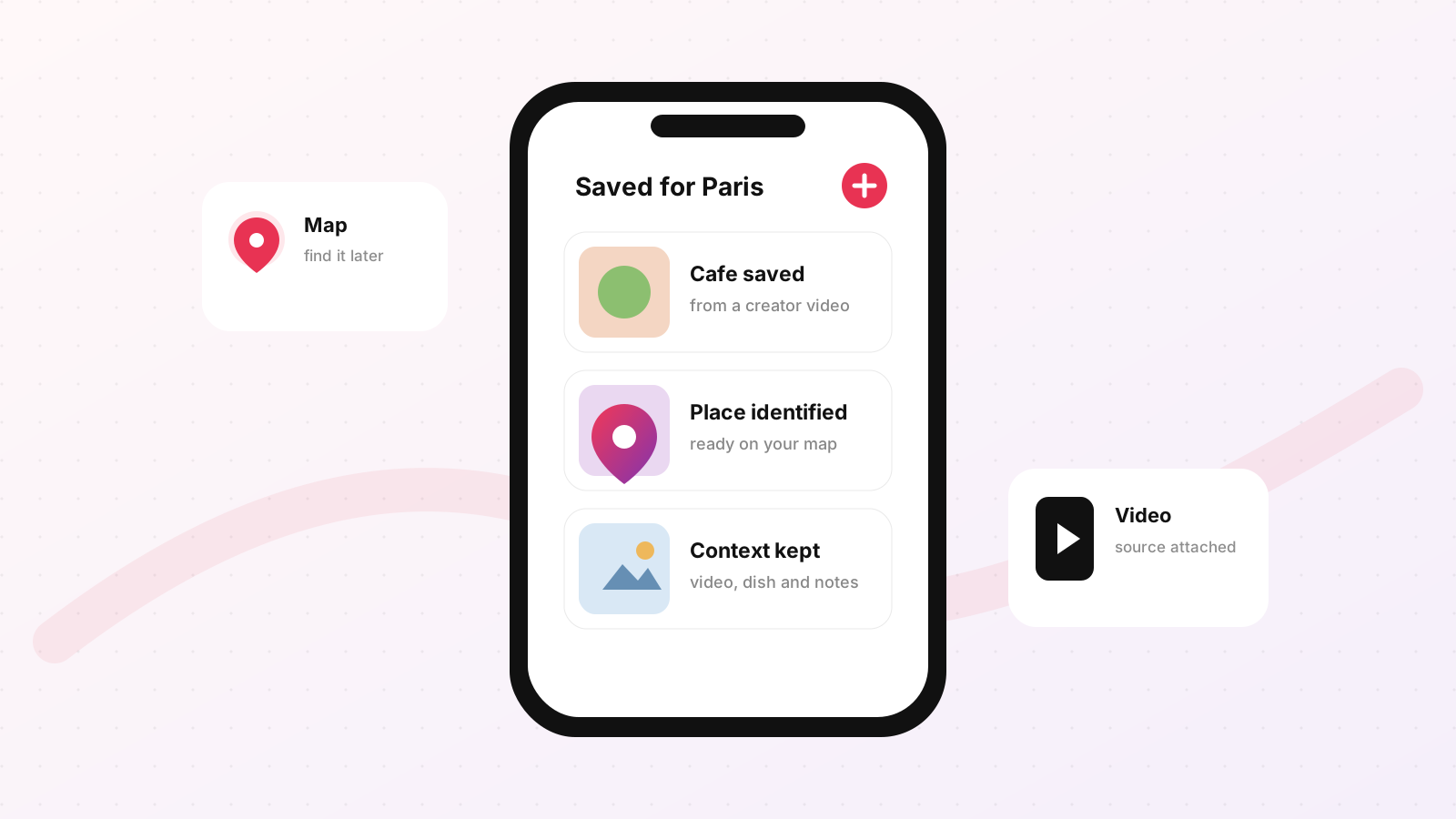
What it is: GeoTok is the only app on this list that was designed specifically to solve the video-to-map problem. You share a TikTok or Reel to the app, and it identifies the restaurant, adds it to your personal map, and keeps a link back to the original video so you always remember why you saved it.
What makes it different: Every other app on this list requires you to already know what you're looking for. You search for a restaurant by name, or you browse a curated list. GeoTok inverts that: it starts with the video and works backward to the place. The identification step — figuring out which restaurant is actually being shown in a given video — is the hard part that everyone else skips.
When a food creator posts from a specific spot, the video typically contains some combination of the restaurant's name (maybe on a menu, a sign, or mentioned in audio), the visual context of the neighborhood, and sometimes a location tag. GeoTok's pipeline reads those signals and produces a map pin. You don't have to search for anything.
What it's genuinely good for:
- Your TikTok and Instagram Reels feed is your primary source of restaurant discovery
- You travel frequently and want a city-by-city map of places you've seen recommended
- You want the original video attached to the saved place, so the context doesn't get lost
- You're building a list with friends who all find places through video content
Where it falls short: GeoTok's database of places is smaller than Google Maps. For restaurants in major cities — New York, London, Barcelona, Tokyo — coverage is solid. For mid-sized cities and towns, you'll find more gaps. The app is also focused narrowly on restaurants; it won't be your go-to for saving hotels, parks, or museums.
Verdict: If your restaurant saves come primarily from social video, GeoTok solves a real problem that no other app has tackled. The workflow — share video, get pin — is faster than any manual alternative. For travelers who watch creator content before visiting a city, this is the most efficient tool available.
2. Beli — Best for Social Dining With a Taste Graph
What it is: Beli is a restaurant-focused social app built around ratings, rankings, and the idea that you should be able to see what your friends are eating and how they ranked it. You rate restaurants you've visited, and Beli uses those ratings to build a personalized taste profile that informs its recommendations.
The taste graph concept: Beli's core mechanism is that the more you rate, the better it gets at predicting what you'll like. It cross-references your preferences with people who have similar taste profiles. If someone who loves the same style of food you do has been raving about a particular pasta place, Beli will surface it to you.
What it's genuinely good for:
- You eat out frequently and are willing to rate places consistently after visiting
- Your social circle is also on Beli (this is the big caveat — see below)
- You want recommendations filtered by actual personal taste rather than generic popularity
- You travel to cities where friends have already built up rating histories
Where it falls short: Beli's utility scales directly with your social graph on the platform. If you're the only person in your friend group using it, the experience is considerably less useful — you're essentially rating into a void and getting recommendations from strangers whose palates you don't know. Getting friends onto Beli is a genuine adoption hurdle. The app also requires you to have visited a restaurant before you can rate it, which means the save-before-you-go workflow is secondary to the rate-after-you-go workflow.
The discovery flow for pre-visit saving is present but not the app's strong suit. You can save places to a "want to go" list, but the mechanism for finding those places in the first place leans on Beli's in-app discovery rather than external sources.
Verdict: Beli is excellent if you care deeply about ratings and have (or can build) a friend network on the platform. If it isn't the right fit, we compared the alternatives to Beli in more depth. It rewards consistent use. If you eat out twice a week and your friends are on it, the taste graph becomes genuinely useful over time. If you're a more casual diner or your friends are scattered across different apps, the investment required may not pay off.
3. Google Maps — Best for Database Depth and Logistics
What it is: Google Maps needs no introduction as a mapping tool, but its restaurant-saving functionality through starred places and lists is underused by most people. You can create named lists (a "Tokyo Trip" list, a "Date Spots" list, a "Brunch" list), save restaurants to those lists, add private notes to each save, and share lists with others via a link.
The database advantage: Google Maps has the largest restaurant database of any app on this list. The coverage difference matters most outside major metropolitan areas. In a secondary city in Portugal or a small town in Japan, Google Maps will have the restaurant. Several of the other apps on this list will not.
What it's genuinely good for:
- Restaurants outside major cities, where every other app has coverage gaps
- Trip planning where you need a single app to handle navigation, hours, reviews, and saves
- Sharing a curated list with a travel companion who doesn't want to download another app
- Getting an overview of what's around you at any given moment
Where it falls short: The lists feature exists, but it's buried and slightly clunky compared to apps built around the concept. Adding a note to a saved place requires several taps. The social layer is minimal — you can share a list via link, but there's no following, no activity feed, no sense of what your friends are saving. Google Maps is fundamentally a navigation tool that has layers of discovery and social features bolted on, and that heritage shows.
For the specific use case of "I saw this on TikTok and want to save it," Google Maps requires you to already know the restaurant's name before you can search and save it. There's no way to import from a video.
Verdict: Use Google Maps as your anchor database, especially for travel to places where app coverage is thinner. If the lists themselves are the friction, here are the alternatives to Google Maps lists. It's the most reliable source of truth for hours, address, and whether a place actually exists. As a saves-and-discovery tool in isolation, it's functional but not inspiring. Most people end up using Google Maps in combination with something else rather than as their primary restaurant journal.
4. Yelp — Best for Review Depth in North American Cities
What it is: Yelp has collections — curated lists of businesses you can build and share. You can make a collection public or private, add photos, add descriptions, and browse other people's public collections. The underlying review database is deep, particularly in the United States, Canada, and increasingly in Western Europe.
What it's genuinely good for:
- North American cities, where Yelp's review volume is highest and most reliable
- Situations where review depth matters — you want ten detailed reviews of the lamb ragu before committing to a dinner reservation
- Building a shareable, public-facing list you want others to browse (a "Best Tacos in LA" collection is more credible with Yelp's review data attached)
- Finding places with specific attributes (outdoor seating, late-night kitchen, good for groups)
Where it falls short: Outside the United States, Yelp's database thins considerably. In European cities, you'll frequently find that restaurants you know well have two reviews or none. The app is also showing its age — the interface is heavier than newer entrants, and the collections feature feels like it was added to keep pace with competitors rather than being a core product priority.
The discovery flow also leans heavily on search. Yelp doesn't have a strong "here's what people in your network are saving" component. It's a reviews database with a collections feature, rather than a social saving app with reviews attached.
Verdict: Yelp earns its place on the list because of review volume in North American markets. If you're planning dinner in New York, Chicago, San Francisco, or Toronto, the review depth gives you information that newer apps simply don't have. Outside those markets, the value proposition is weaker. Pair it with something else for international travel.
On iPhone
Keep your restaurant ideas in GeoTok.
Save places from food videos and screenshots, then find them on your map when you want to go.
GeoTok Plus subscription required. Some guides are sold separately.
5. TheFork / OpenTable — Best for Saves That Convert to Bookings
What it is: TheFork (dominant in Europe and Australia) and OpenTable (dominant in North America) are reservation platforms that have added wishlist and saving features. The idea is that saving a restaurant and booking a reservation should be part of the same workflow. You add a place to your saved list, and when you're ready to go, the booking flow is one tap away.
What it's genuinely good for:
- Restaurants where you know you'll need a reservation — popular spots that fill up weeks in advance
- Trip planning where securing bookings is part of the planning process, not an afterthought
- Discovering reservation availability before committing to a plan (checking if a specific Saturday evening is feasible before adding a restaurant to the itinerary)
- Tracking dining credits or loyalty points within the platform
Where it falls short: The saving features on both platforms are subordinate to the booking workflow. The apps are optimized for converting a restaurant discovery into a reservation. If you want to save a casual spot that doesn't take reservations — a sandwich counter, a taco truck, a dim sum place where you just show up — the platform has limited utility. Coverage is also concentrated on restaurants that have opted into the reservation system, which excludes a meaningful portion of restaurants you might want to track.
Neither TheFork nor OpenTable has a strong social layer for discovery. You're largely browsing the platform's curated lists or searching by cuisine and neighborhood. There's no mechanism for importing from external sources.
Verdict: Use TheFork or OpenTable when your saving workflow naturally leads to a reservation. For a Rome trip where you want to lock in two or three major dinners, saving to OpenTable and booking from the same interface is efficient. For the broader category of casual restaurant saves that might never require a reservation, a different tool handles the job better.
6. Eater — Best for Editorial-Quality Lists by City
What it is: Eater is a digital food and restaurant publication with deep city-level coverage across major markets. What makes it relevant in this comparison is the Eater Maps feature — curated, editorially maintained lists of the best restaurants by city and by category. You can't build your own list in Eater, but you can browse and reference the ones their local editors maintain.
What it's genuinely good for:
- Getting a fast, high-confidence shortlist when visiting a city you don't know
- Categories that are hard to research from scratch — best new restaurants, best wine bars, where to eat late at night
- Understanding the context and status of a restaurant (new opening, long-standing institution, currently controversial)
- Bypassing the noise of review platforms when you want a single trusted editorial recommendation
Where it falls short: Eater is not a personal save app. You can't build a list that mixes an Eater recommendation with a place a friend told you about with something you saw on TikTok. The editorial lists are fixed and maintained by Eater's staff, not by you. City coverage is also concentrated — Eater has deep maps for New York, Los Angeles, San Francisco, Chicago, and a handful of international cities. For smaller markets, the coverage drops off significantly.

Verdict: Eater is a reference tool rather than a personal save tool. Treat it like a well-maintained guidebook: check it when you're planning a trip to a city it covers well, use it to identify anchors for your itinerary, then move those places into whatever app you use for personal tracking. It earns a place in the workflow but doesn't replace a save app.
7. Notes App — The Bare Minimum That Somehow Works
What it is: Apple Notes, Google Keep, Notion, or whatever default note-taking app lives on your phone. This category deserves a mention because a meaningful number of people — probably more than use any single dedicated app — are keeping restaurant saves in plain text notes.
A note that says "Tokyo — Ichiran (ramen, Shibuya), Narisawa (tasting menu, Minami Aoyama), Gonpachi (soba, Nishi-Azabu)" is not beautiful. It has no photos, no map, no ratings. But it's fast to create, requires no app installation, and it's in a place you'll actually look because you already use it for everything else.
What it's genuinely good for:
- Speed — a note is faster to create than opening a dedicated app and navigating to a save flow
- Flexibility — you can format it however you want, add context in plain language, nest it inside a travel itinerary
- Longevity — notes apps don't get acquired, pivot, or quietly deprecate their web interface
- Works with everything — if someone texts you a restaurant name, pasting it into a note is two taps
Where it falls short: Everything else. No map view. No automatic metadata like hours or ratings. No way to share a clean, interactive list with someone else. No discovery layer. No visual context. You have a list of names and whatever context you chose to include at the time of saving, which is often nothing.
If you're saving a place because you saw it in a video, a plain text note captures the name but loses everything else — the video that showed you why it was worth saving, the visual of the food, the creator's reasoning. That context usually doesn't make it into the note.
Verdict: Notes is the fallback everyone uses at some point. It's better than nothing — considerably better than losing a recommendation entirely because you failed to save it at all. But for anyone who eats out regularly and travels to new cities, the organizational ceiling on plain text notes is low. Most people outgrow it and start looking for something more structured once their list hits a certain length and they realize they can no longer remember why half the places are on it.
How to Choose: A Direct Comparison
The honest answer is that these seven apps serve different stages and styles of restaurant discovery. Using one exclusively is limiting. Using six simultaneously is exhausting. The goal is identifying two or three that cover your actual workflow.
If most of your discovery happens through TikTok and Reels: Start with GeoTok. The video-to-pin workflow removes the friction of manual lookup. Supplement with Google Maps for restaurants it doesn't recognize yet.
If you eat out frequently and want to build a track record: Add Beli to your stack. It takes weeks of consistent use before the taste graph becomes meaningful, but for people who eat out three or more times a week, the payoff is real. The social layer only works if your friends are on it, so assess your social graph before investing heavily.
If you travel a lot and need coverage in secondary cities: Google Maps is your anchor. Its database depth outside major markets beats every other option on this list. Use it as your fallback when other apps come up empty.
If you're planning a trip to a city with Eater coverage: Check the Eater Map first. Get the editorial anchors, then save them to your personal app of choice. This is a five-minute step that will improve any city visit.
If you're primarily dining in North American cities and care about detailed reviews: Yelp's review depth in that market is still the deepest of any app on this list. The app itself isn't elegant, but the underlying data is useful.
If you're booking upscale restaurants that require reservations: TheFork or OpenTable belongs in the workflow because it collapses the save-then-book sequence into one place.
If you're not ready to add another app: Notes is fine as a temporary measure. Set a reminder to revisit when your list gets unwieldy.
The Workflow That Actually Works in 2026
Based on extended use across all seven options, the most functional setup for someone who regularly discovers restaurants through social video and also travels to new cities is:
Primary: GeoTok for video-sourced saves. Any TikTok or Reel you want to revisit gets shared to GeoTok immediately — it takes about four seconds and the original video stays linked to the pin.
Secondary: Google Maps for everything else. Places recommended by friends, spots you walk past, restaurants in cities where GeoTok's coverage has gaps. The database reliability is worth having.
Reference: Eater for trip planning to major cities. Check the map, identify the anchors, move them into GeoTok or Google Maps.
The Notes app stays as an emergency option for when you're somewhere with bad signal and just need to write a name down fast.
This is not a perfect system. Perfect systems don't exist for restaurant saves because the problem is genuinely messy — recommendations arrive through too many different channels, in too many different formats, at too many different moments. The goal is reducing the gap between "I want to remember this place" and "I can actually find this place again when I need it."
The apps above represent the current options. Each fills a different gap. The one that matters most for your specific situation depends on where your recommendations come from and how you use them once you've saved them. If the answer to the first question is "mostly TikTok and Instagram," the second question becomes a lot easier to answer.
Frequently Asked Questions
What is the best app to save restaurants from TikTok?
GeoTok is purpose-built for saving restaurants from TikTok and Instagram. You share a food video to the app and it identifies the restaurant, drops a map pin, and keeps the original video linked to the place. Other apps (Beli, Google Maps, Yelp) require you to already know the restaurant's name and search for it manually.
How do I save a restaurant I saw in a TikTok or Instagram Reel?
Share the video to a place-saving app instead of bookmarking it inside TikTok or Instagram, where location content gets buried. GeoTok reads the restaurant's name, neighborhood, and any location signals in the video and turns it into a map pin — so you can find the place again when you actually want to eat there.
Is there an app that finds the actual restaurant shown in a video?
Yes. GeoTok works backward from the video to the venue — its pipeline reads the name, visual context, and location tags in a TikTok or Reel and produces a map pin, so you don't have to identify and search for the restaurant yourself.
What is the best app to organize restaurant recommendations in 2026?
It depends on where your recommendations come from. If they arrive mostly through TikTok and Instagram video, GeoTok is the most efficient because it captures places directly from videos. For database depth in secondary cities, Google Maps saved lists are the strongest fallback. Many people use both: GeoTok to capture, Google Maps to confirm plans.
More on this question:
- Beli alternatives for tracking restaurants
- Alternatives to Google Maps lists
- How to remember restaurants people recommend to you
- Saving Instagram Reels restaurants to a map
- Restaurant bucket list apps
Or browse the GeoTok blog and read about how GeoTok works.
On iPhone
Keep your restaurant ideas in GeoTok.
Save places from food videos and screenshots, then find them on your map when you want to go.
GeoTok Plus subscription required. Some guides are sold separately.